Jobs & Scheduling
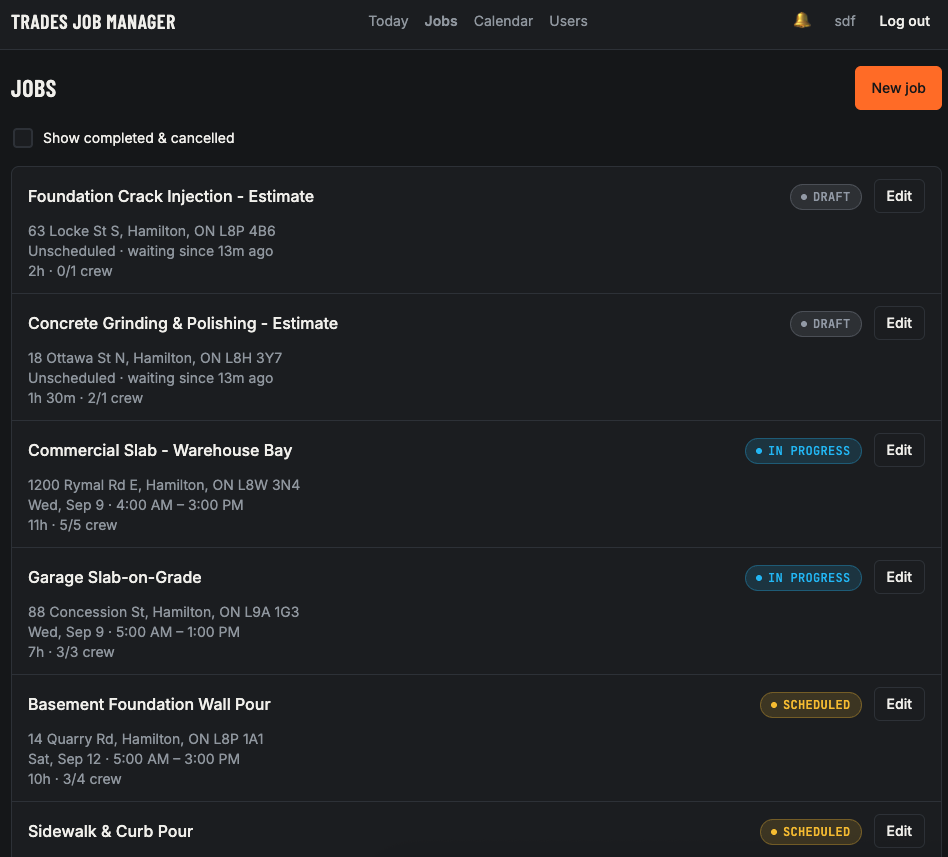
Capture the address, contact, crew needed and a scheduled window, with conflict warnings built in.
Schedule jobs, assign crews, pack the right materials and track time. Take it for a spin below.
Live demo with sample data.
This is a demo application, a real DevPro-built app running on sample data. Click through every feature yourself.
From the first estimate to the last hour logged, one system for the office and the crew.
Capture the address, contact, crew needed and a scheduled window, with conflict warnings built in.
Assign crew directly, or open a job for volunteers and approve who signs on.
Track generic and prebuilt items and check them off before the truck rolls out.
Crew clock in and out per job, so actual hours line up against the estimate.
Day, Week, Month and List, every job colour-coded by status and filterable by crew.
Log in to a role-scoped view of exactly the jobs that matter today.
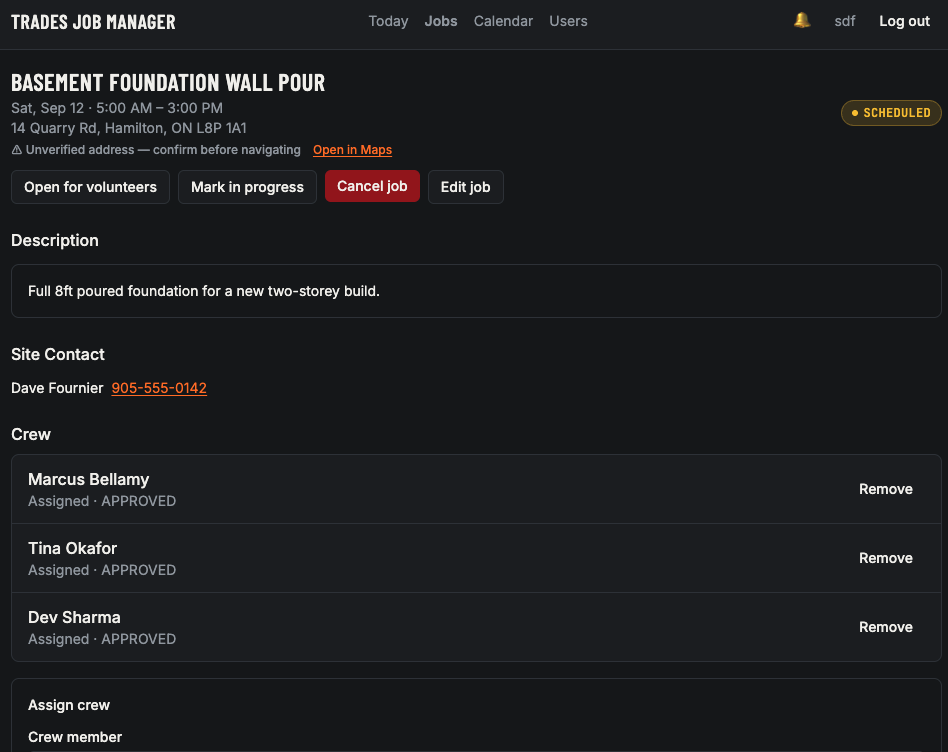
Status, schedule, site contact, crew and the actions to move it forward, no digging.
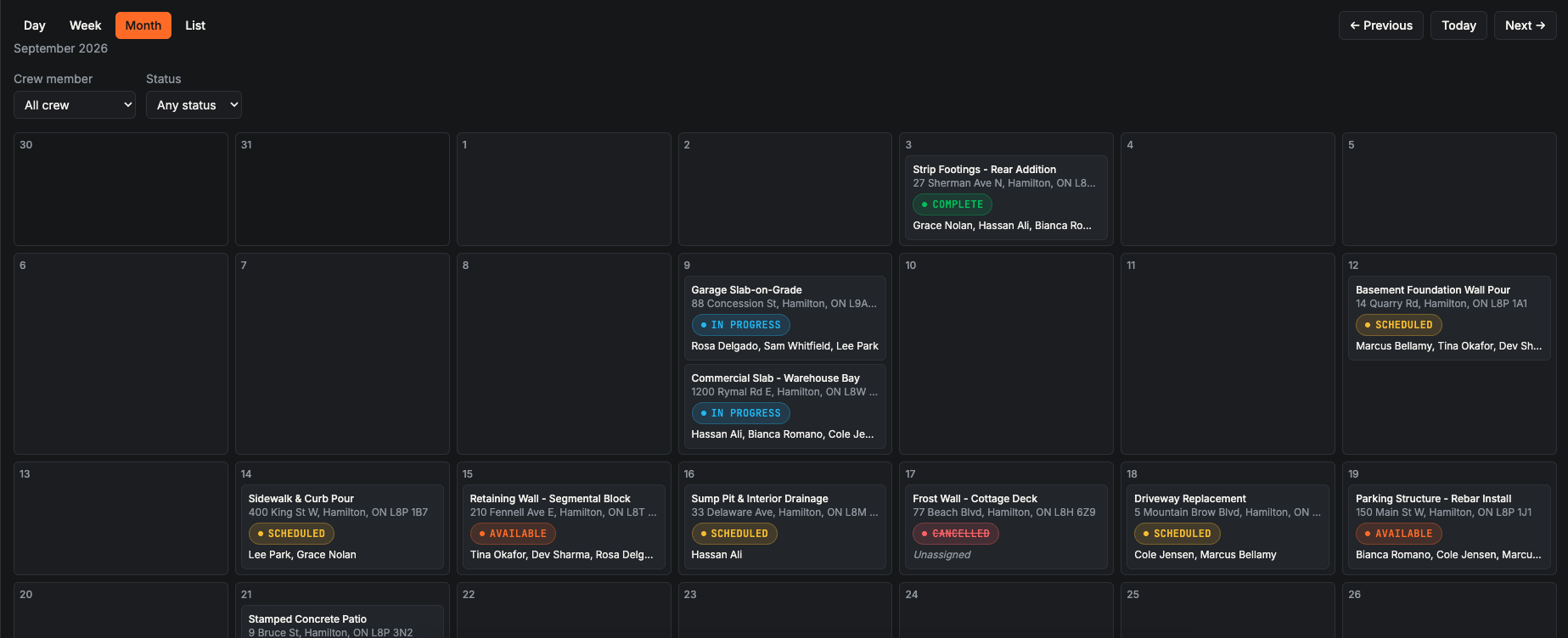
Switch between Day, Week, Month and List, and filter down to one crew member or one status.
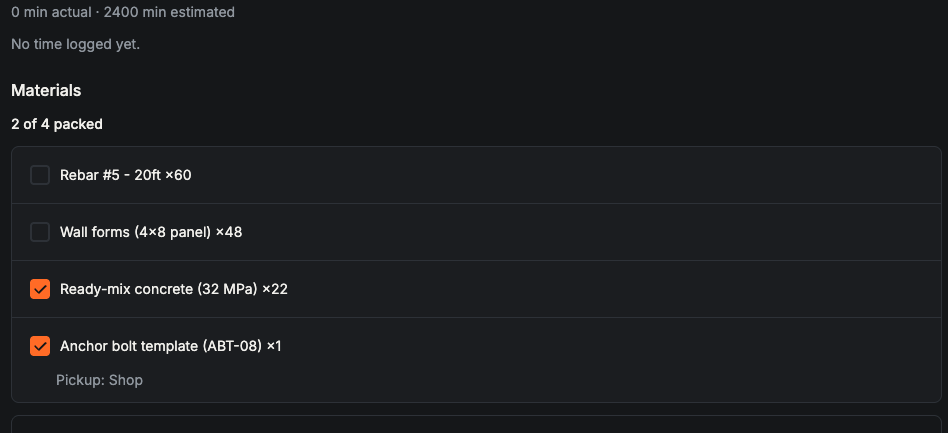
Load the truck from a checklist and let the clock do the timesheet.
The Today board is the default landing screen, the same jobs, scoped to each person's role.
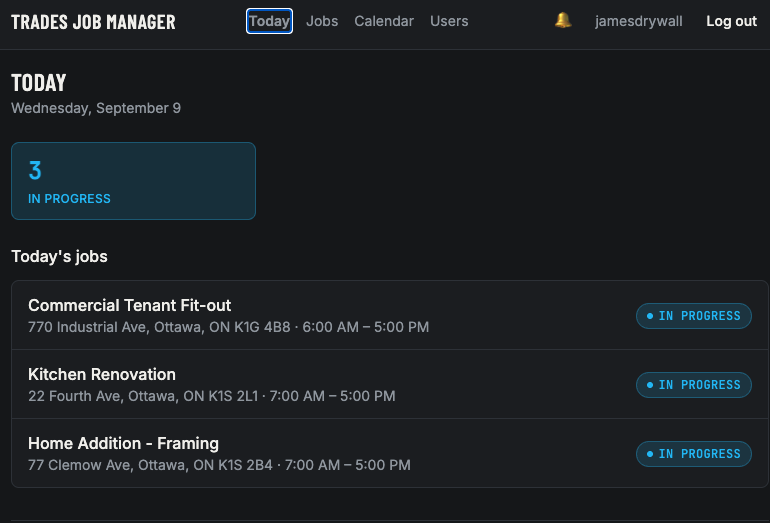
Every job carries a jobsite-signal colour, the same mapping on the list, the board, the calendar and the job screen.
The best way to judge our work is to use it. Click through the full app with sample data.
Try it out nowOpens the live demo at trades.dev-pro.app.